
Accurate hours, correct overtime, straight into payroll — no re-entry.
NumaTrack Time Tracking gives employees a one-tap clock-in from any device and gives managers approved timesheets with overtime already calculated by province. Hours flow directly into payroll.
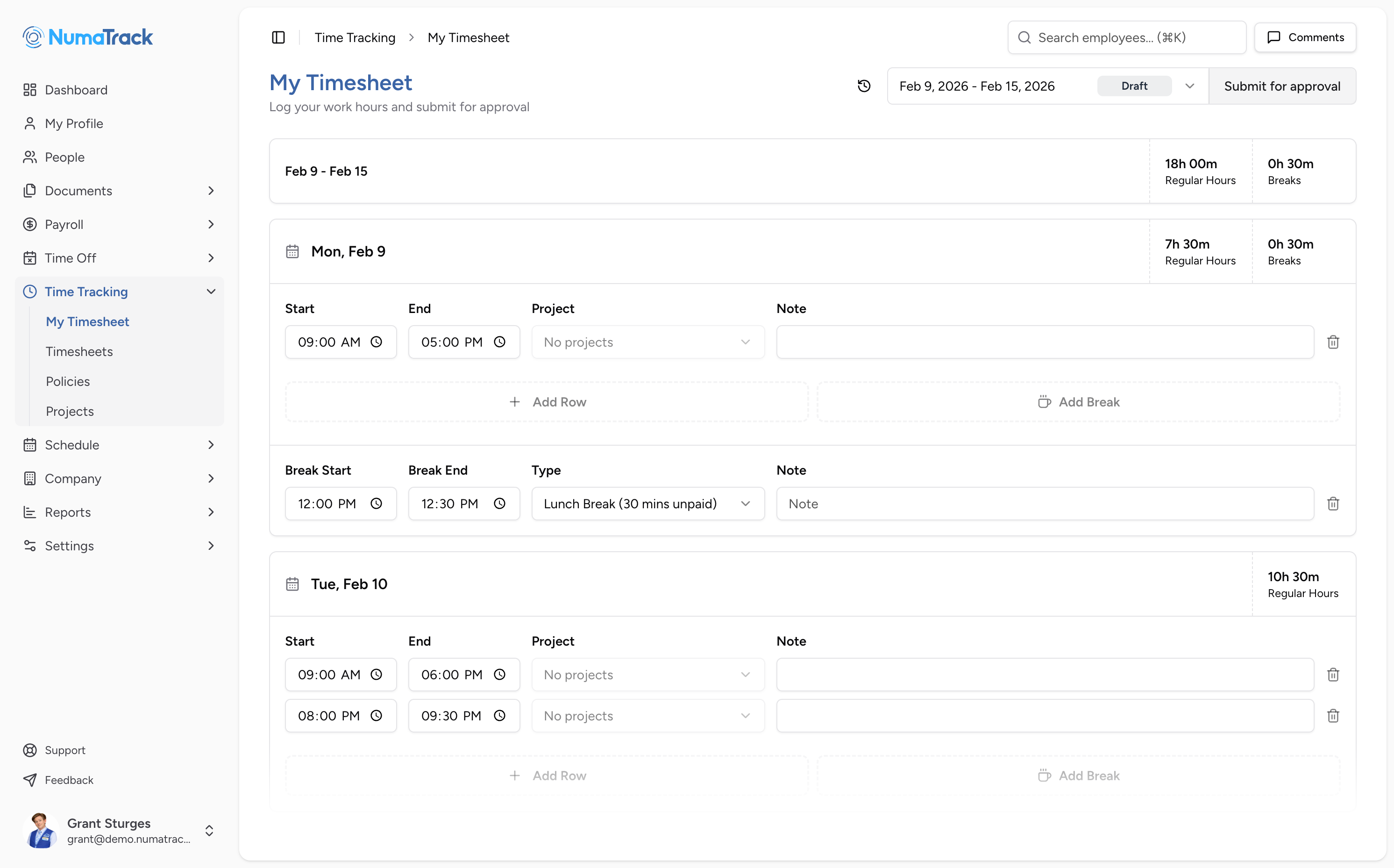
Everything you need to capture hours and get them into payroll
One-tap clock-in with GPS — no paper, no guesswork
The problem: Paper timesheets get lost. Buddy punching goes unchecked. Remote or mobile employees have no reliable way to log hours without calling in or filling out forms after the fact.
What changes: Employees clock in and out from their phone or desktop with a single tap. GPS captures location at the time of punch. Managers see who's clocked in, where, and when — in real time.
Provincial overtime handled for you
The problem: Overtime rules vary by province — daily thresholds, weekly thresholds, averaging agreements. Calculating manually is slow and error-prone. Getting it wrong is a compliance risk.
What changes: Provincial rules are pre-configured. Overtime calculates automatically as hours are logged, based on the employee's location. The right rules apply to the right people without manual formulas.
Break compliance you don't have to monitor manually
The problem: Breaks are hard to track across shifts and locations. Employees forget to log them or skip them entirely. If there's a dispute, there's no record.
What changes: Break tracking is built into the time clock. Mandatory break enforcement ensures breaks are taken according to your rules. Break time is logged and visible on the timesheet alongside worked hours.
Project hours and costs captured at the clock
The problem: Employees work across projects, but hours aren't logged at the project level. Managers reconstruct costs from memory or estimates. Job costing is guesswork.
What changes: Employees select a project when they clock in. Hours and costs accumulate per project automatically. Managers see where labour is going — by project, by person, by period.
Approved timesheets sync directly into payroll
The problem: Managers chase employees for timesheets at the end of the week. Approved hours get keyed into payroll by hand. Errors surface on pay stubs. Corrections cost another cycle.
What changes: Employees submit weekly timesheets. Managers review, adjust if needed, and approve. Approved hours — including overtime and project allocations — sync into payroll automatically. One path from clock-in to pay stub.
Rounding rules that apply consistently
The problem: Clock-in times are messy — 8:03, 7:57, 8:11. Without consistent rounding, small discrepancies add up across a pay period and create disputes or overpayment.
What changes: Set rounding rules to match your policy — nearest 5, 10, or 15 minutes. Rules apply to every punch. Employees and managers see both actual and rounded time for full transparency.
Time tracking from any device
How teams use Time Tracking across industries
Retail & Hospitality
Employees clock in from a shared device or their phone. Break enforcement ensures compliance across shifts. Overtime calculates by province automatically.
Construction & Trades
GPS clock-in captures location for crews across sites. Project tracking ties hours to specific jobs for accurate costing. Approved timesheets flow into payroll from the field.
Professional Services
Log billable hours by client project without a separate tool. Managers see project cost summaries and approve timesheets before payroll runs.
Healthcare & Social Services
Shift-based teams clock in against scheduled hours. Break tracking creates a compliance record. Overtime rules apply automatically across locations and roles.
Nonprofits & Small Organizations
A simple time clock on any device. Employees log hours, managers approve, and everything flows into payroll. No extra tools, no manual calculation.
30 minutes. No commitment. See Time Tracking in action.
If hours are still being chased, calculated by hand, or keyed into payroll twice — this is the fix. Book a walkthrough and see how it works from clock-in to pay stub.